How to Find & Remove Duplicate Songs
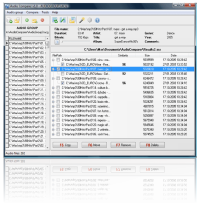
Duplicate songs waste disk space and make your library hard to browse. Most tools only match filenames or tags — so renamed files, mixed formats, and missing metadata stay hidden.
Audio Comparer compares the actual sound of each track. These guides explain how that works and how to clean your collection safely on Windows.
- Scan folders with Audio Comparer — it builds an audio fingerprint per song.
- Review grouped duplicates in the tree view; preview before deleting.
- Keep the best copy (higher bitrate or preferred format); remove or move the rest.
Guides
-
Best Duplicate Music Finder for Windows
What to look for: accuracy by sound, speed, format support, and safe deletion. -
How to Find Duplicates by Audio, Not Filename
Why tags fail and how audio fingerprinting finds real duplicates. -
How to Remove Duplicate Songs (Step by Step)
Scan, review, delete or move — keep your best versions without risk. -
How to Remove Duplicate MP3 Files
Same song, different bitrates, renamed clones, and missing ID3 tags. -
How to Clean a 10,000+ Song Library
Strategy for huge collections: folders, scan time, and reclaiming storage. -
Free Duplicate MP3 Finder — What Actually Works
Honest comparison of freeware limits vs audio-based tools.
Ready to clean your music library?
Download the free trial and see every duplicate in minutes.
Download Free Trial✅ 30-day free trial | ✅ No file damage | ✅ Works on Windows
What Our Users Say
The best duplicate finder
"I've tried several duplicate finders over the years. Audio Comparer is by far the most accurate and user-friendly. It's fast, reliable, and handles large libraries perfectly. If you have a big music collection, this is a must-have tool."
— Hartley CoxRating: 5/5 ·